
Automated User Addition via CSV Upload
- Prepare the CSV File
- Log in as a Client Admin
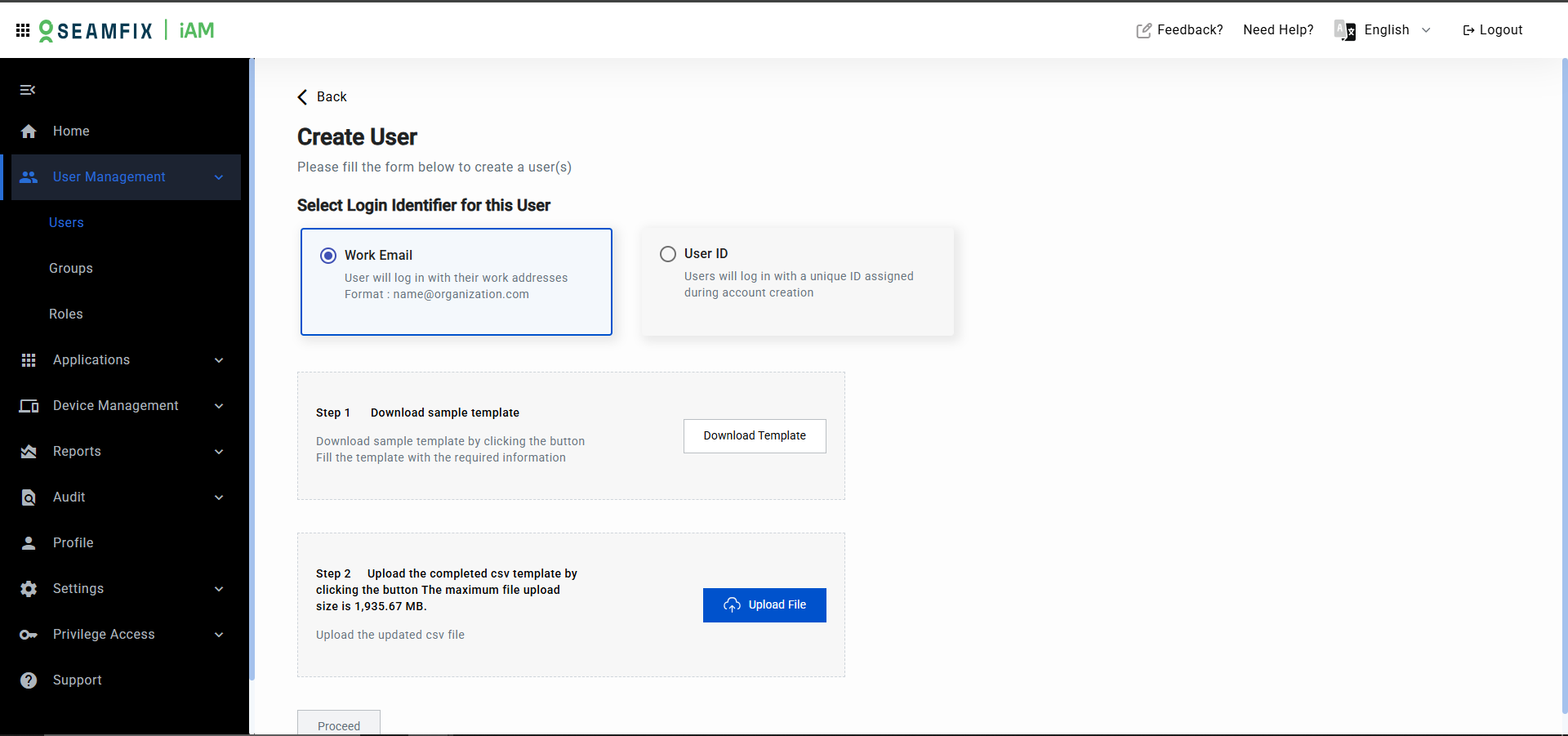
- Go to User Management and select Import Users via CSV.
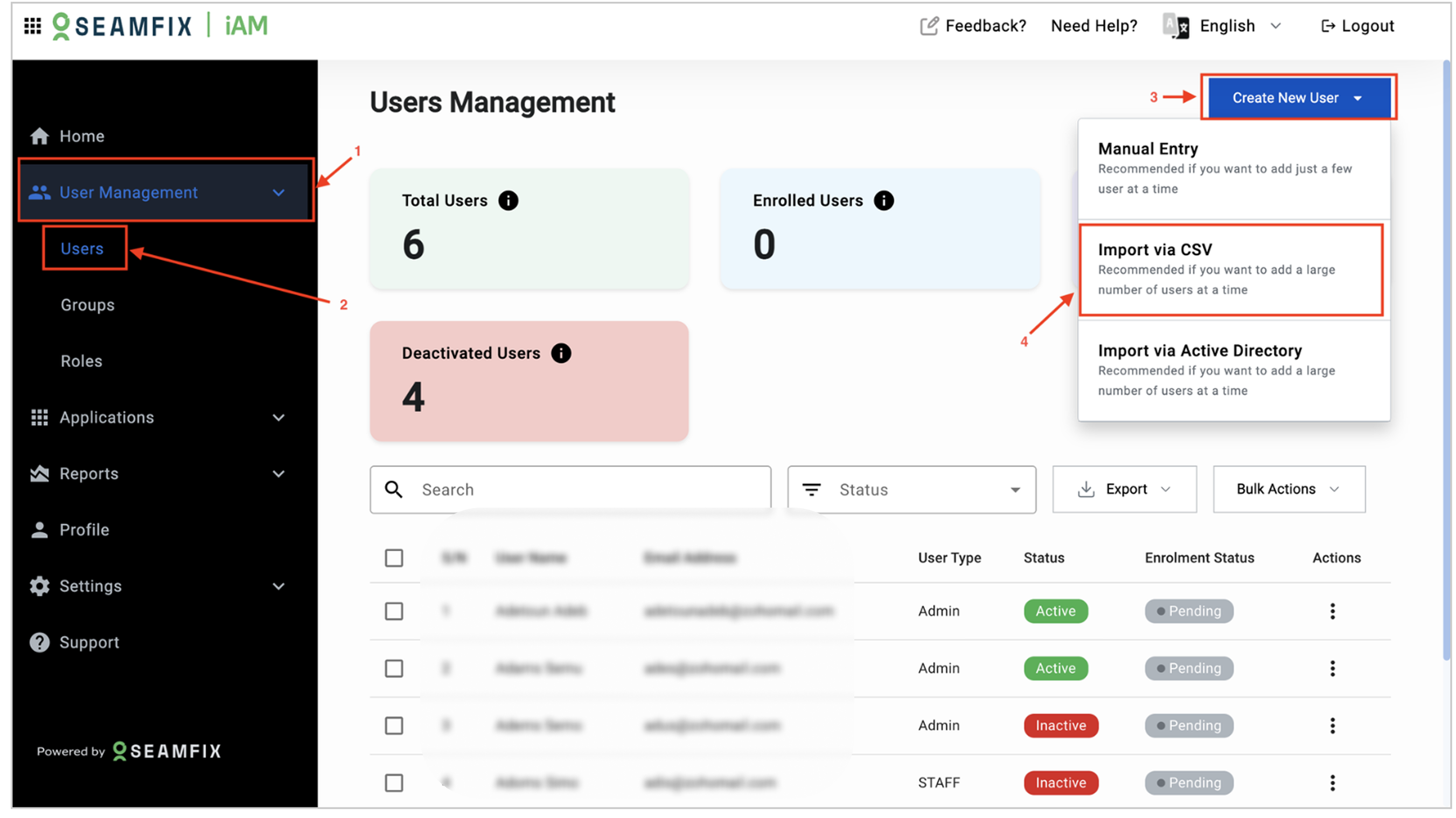
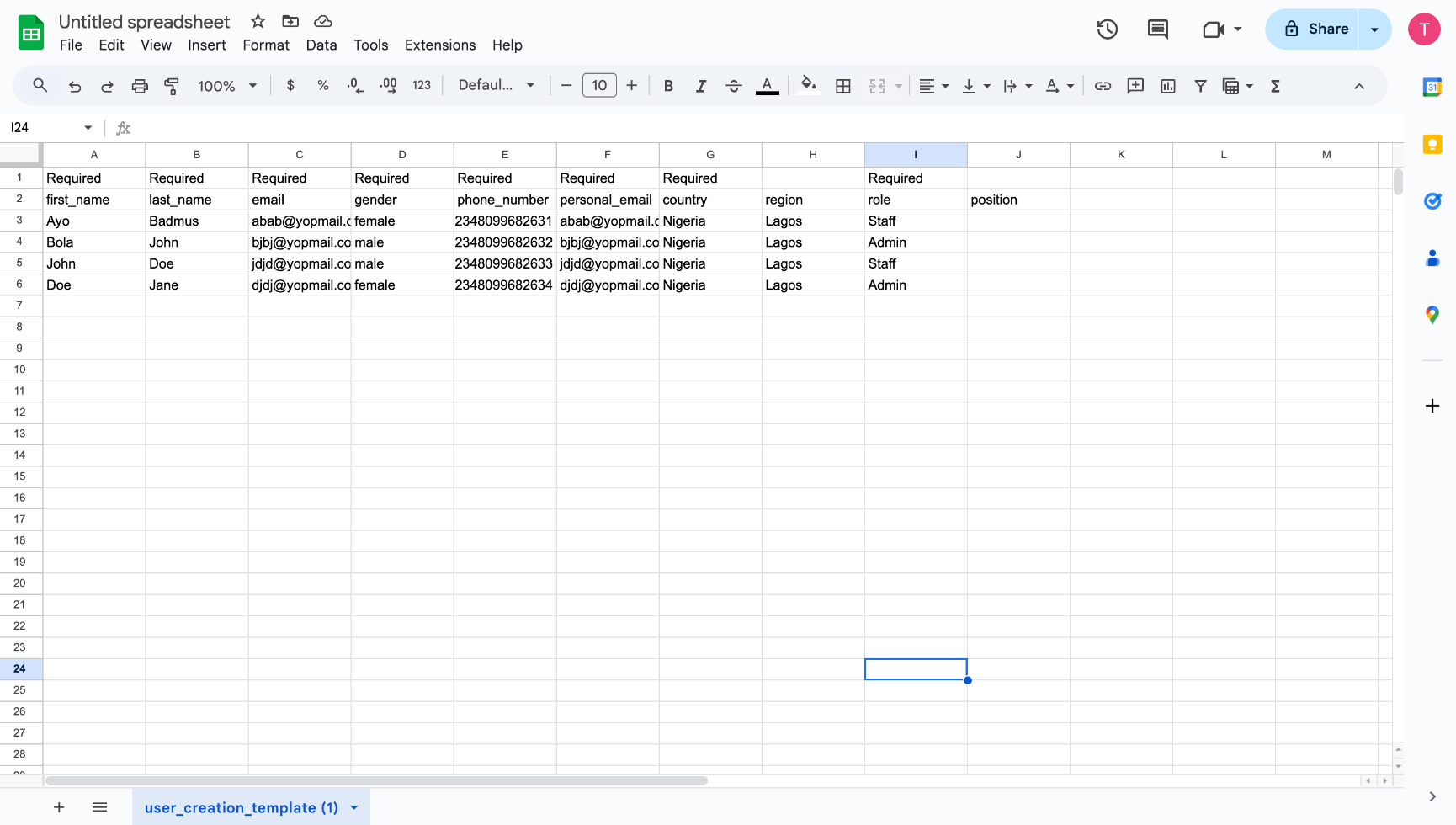
- Download the sample CSV file with the required user information. Typically, the columns include:
- Email Address
- Role
- Group
- Personal Email Address
- Gender
- Country
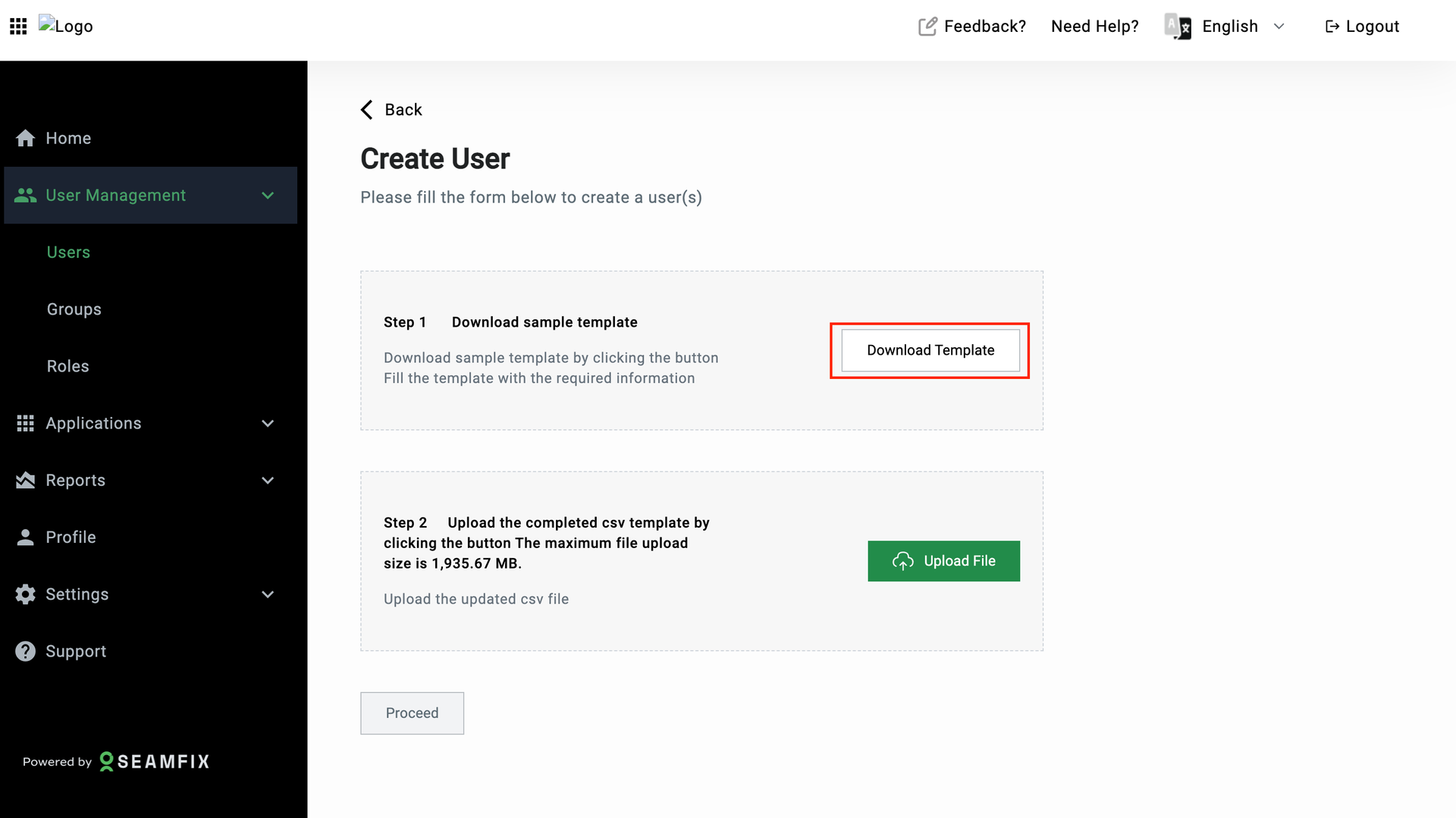
- Upload the CSV File: Click on the Upload button to begin csv file upload
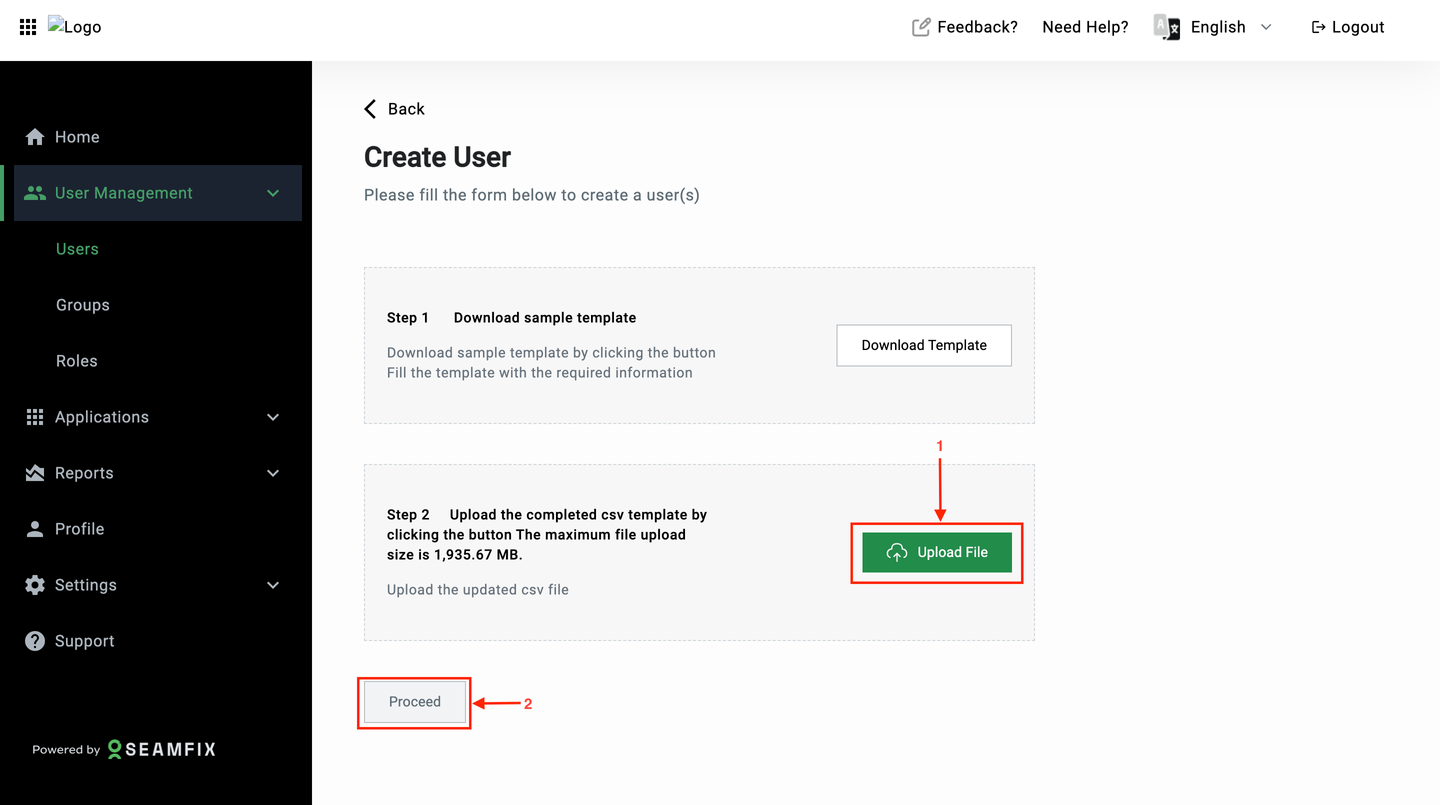
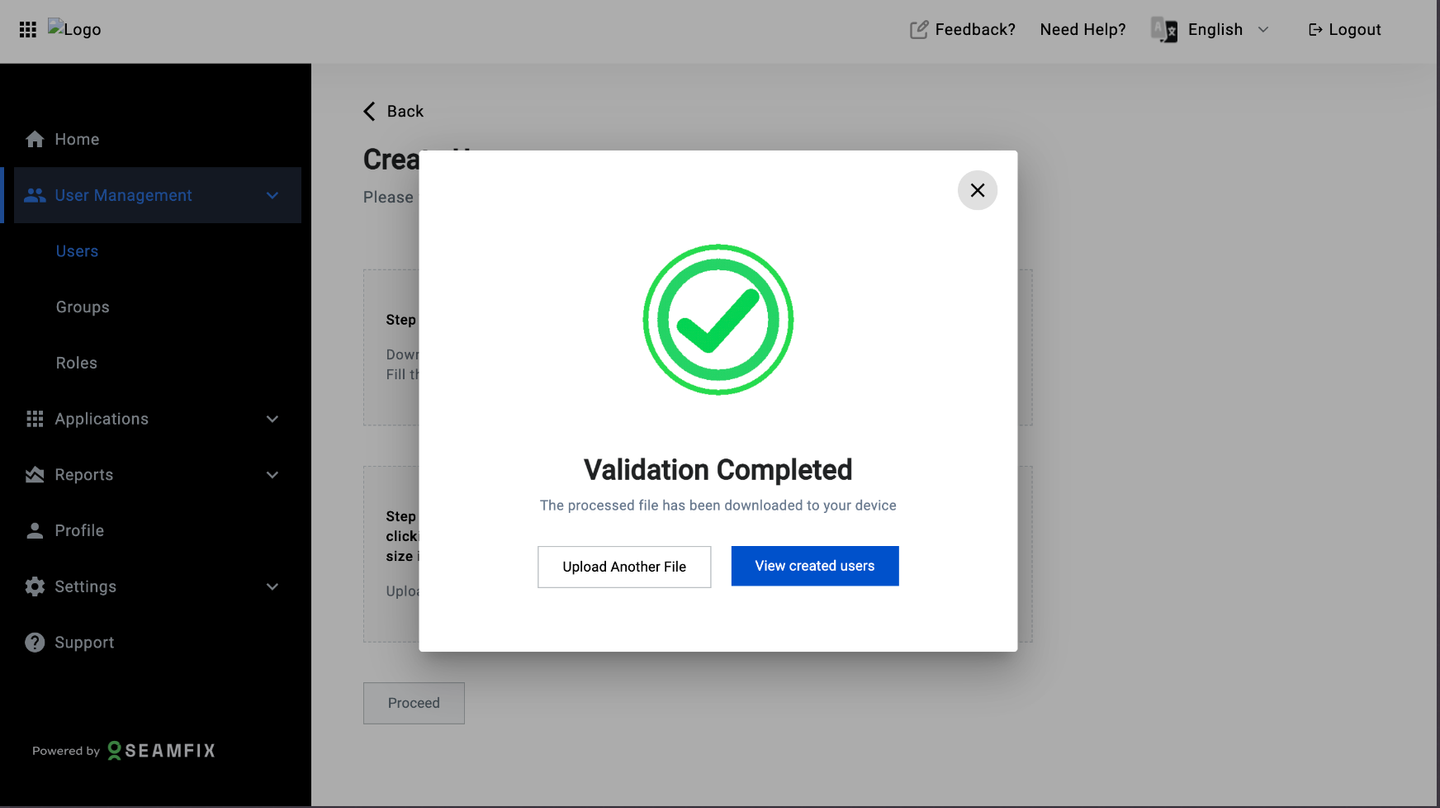
- Map CSV Columns to User Attributes: During the upload process, Seamfix-IAM maps the CSV columns to the corresponding user attributes in the IAM solution.
- Review Imported record: Navigate to the table that has the user list to view the created users.
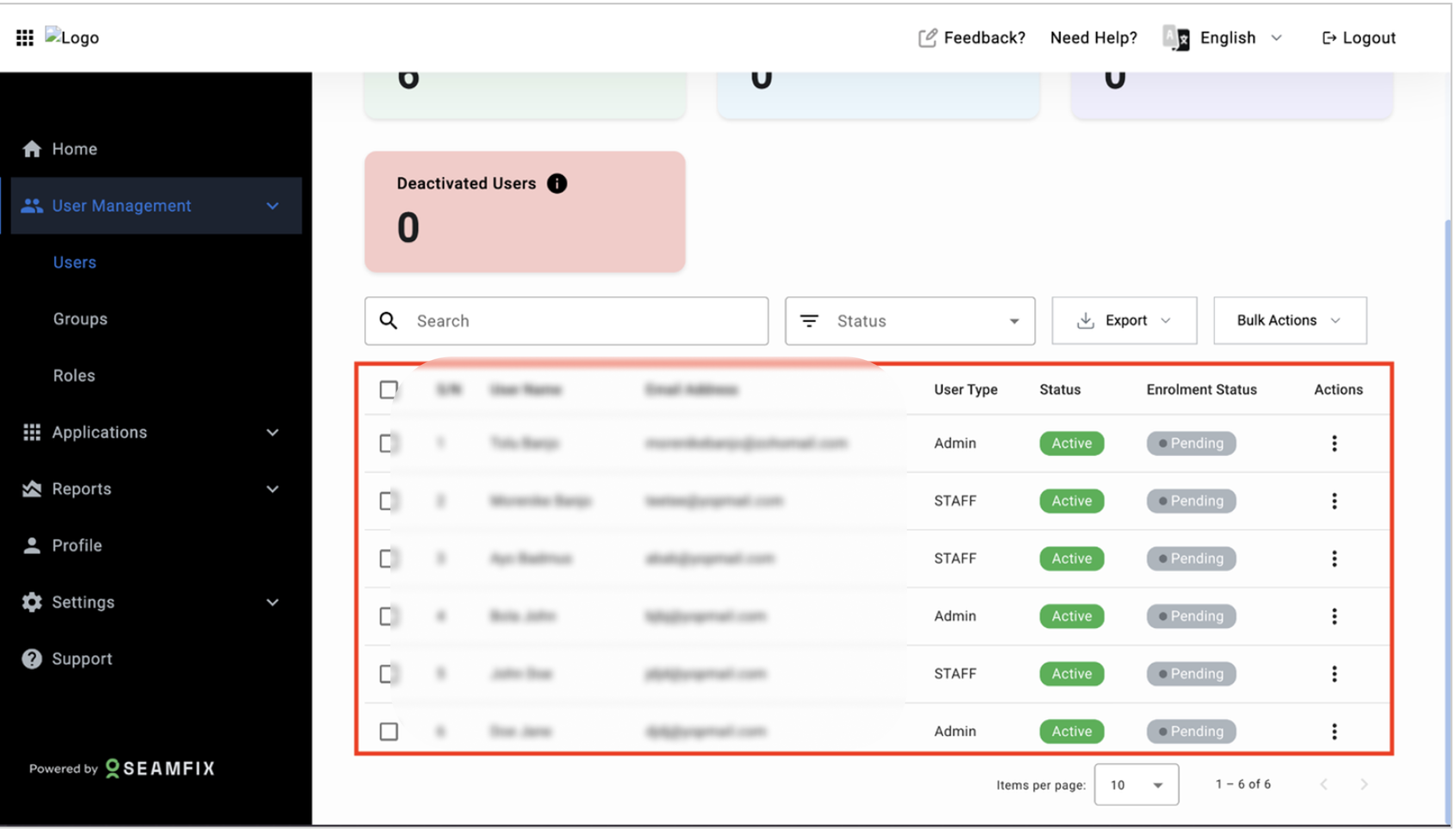
Post-Import Actions:
- The system automatically downloads the processed csv file on the Admin’s system with the status of each record uploaded within the file.
- The system sends out welcome emails or notifications to the successfully added users.
When there are more than one user attributes existing within a tenant, the csv file to be downloaded will be determined by the login attribute selection by the admin. This will make the attribute compulsory within the CSV file
Updated 11 months ago