
Assigning Users to an Existing Group
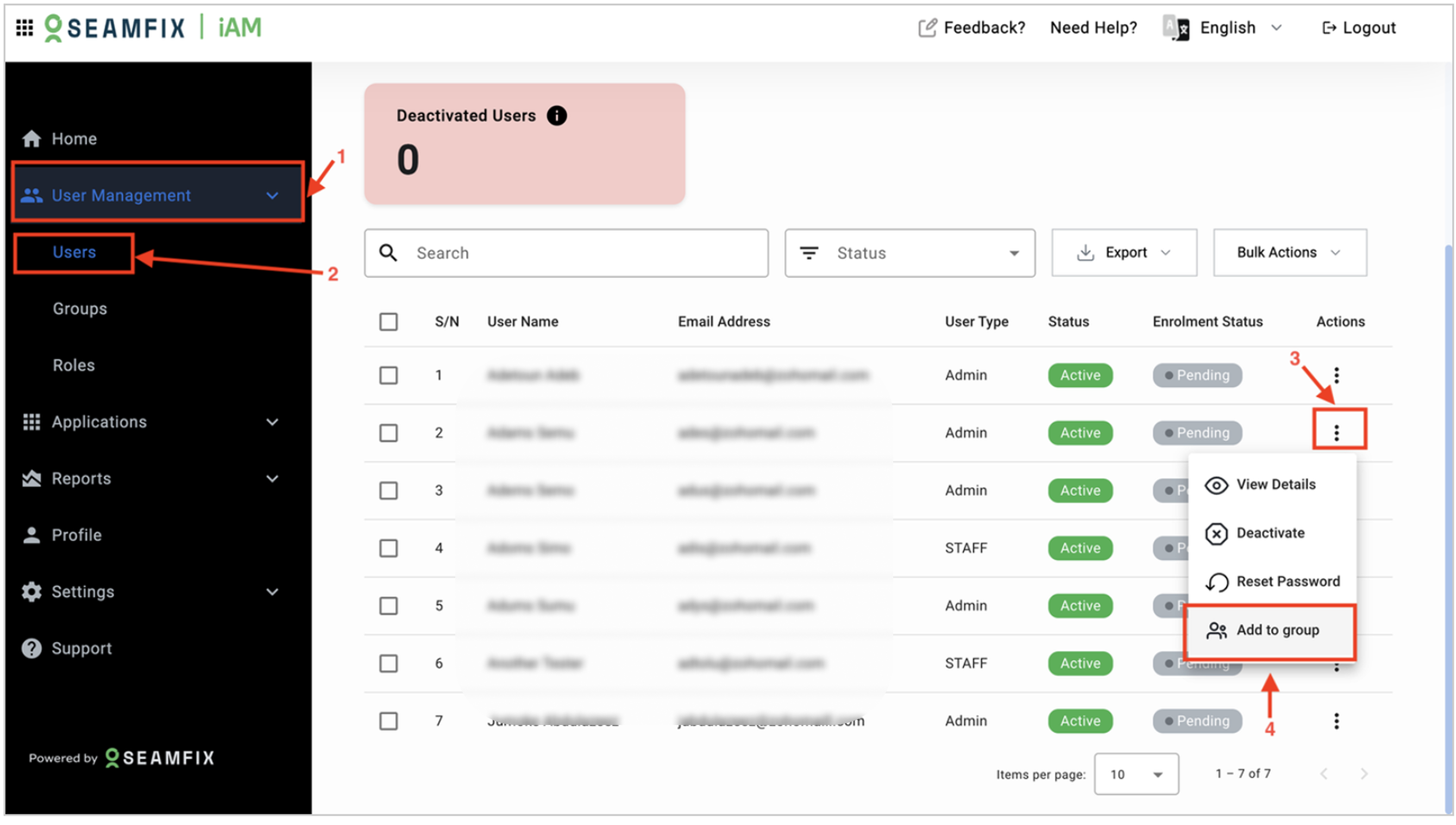
- Navigate to User Management: Go to User Management > Users and select the user you want to assign to a group.
- Edit User Details:
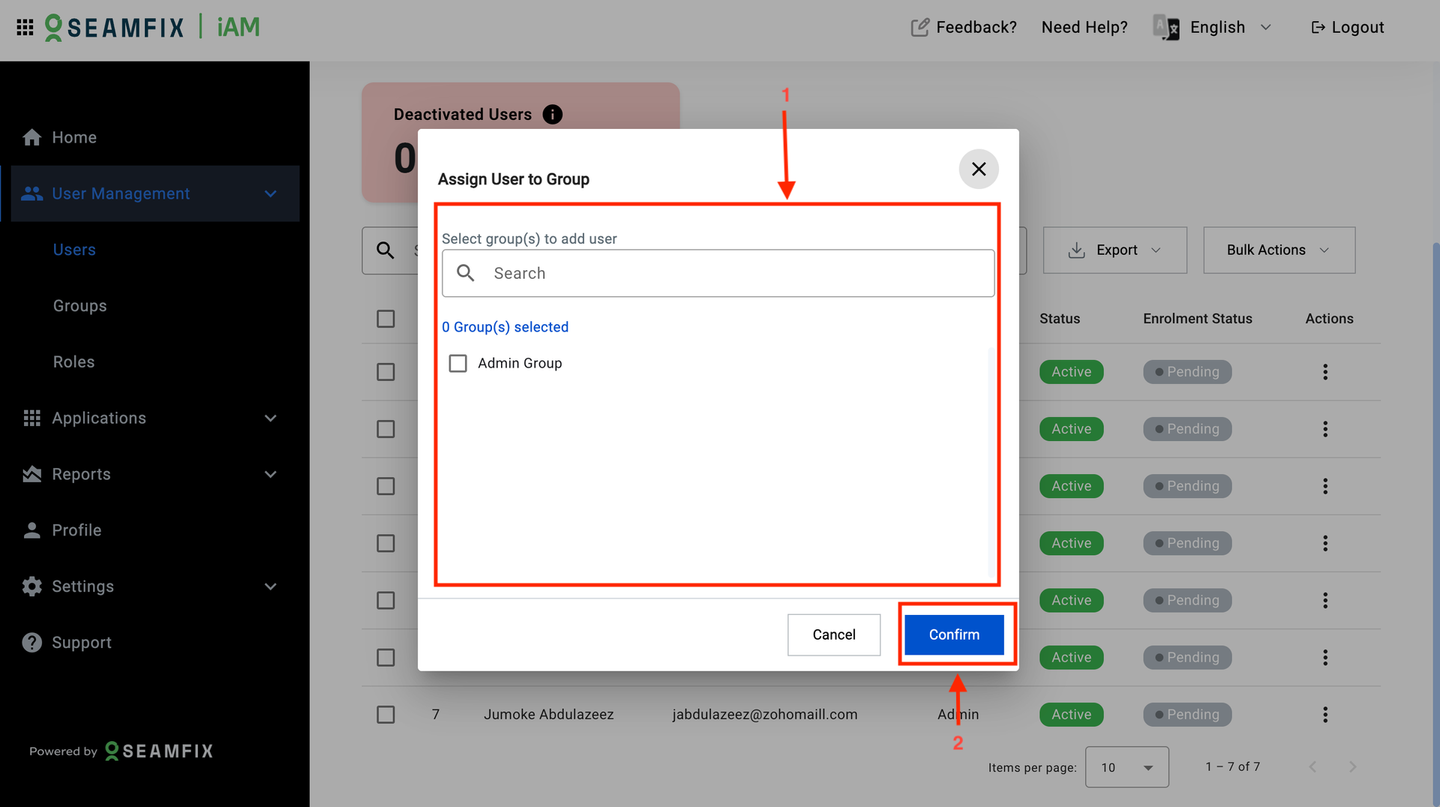
- In the user’s profile, locate the Groups section.
- Click the field and select the group(s) from the dropdown menu.
Updated about 1 year ago
Did this page help you?