
Access Reviews (Reporting)
Access Reviews in Fixiam allow administrators to generate and export a snapshot report of current user access to a selected application.
This feature is designed to support audit and compliance reviews by providing clear visibility into who currently has access and how that access is granted.
Overview
Access Reviews is a reporting feature available under the Audit module.
It enables administrators to:
- View current user access for a specific application
- Identify users who belong to access-granting groups
- See last login activity
- Detect disabled users still assigned to groups
- Export access data as CSV or PDF for offline review
Note: This release provides reporting only. Access changes must be managed in Users or Groups.
Where to Find Access Reviews
- Navigate to Audit Management
- Select Access Reviews
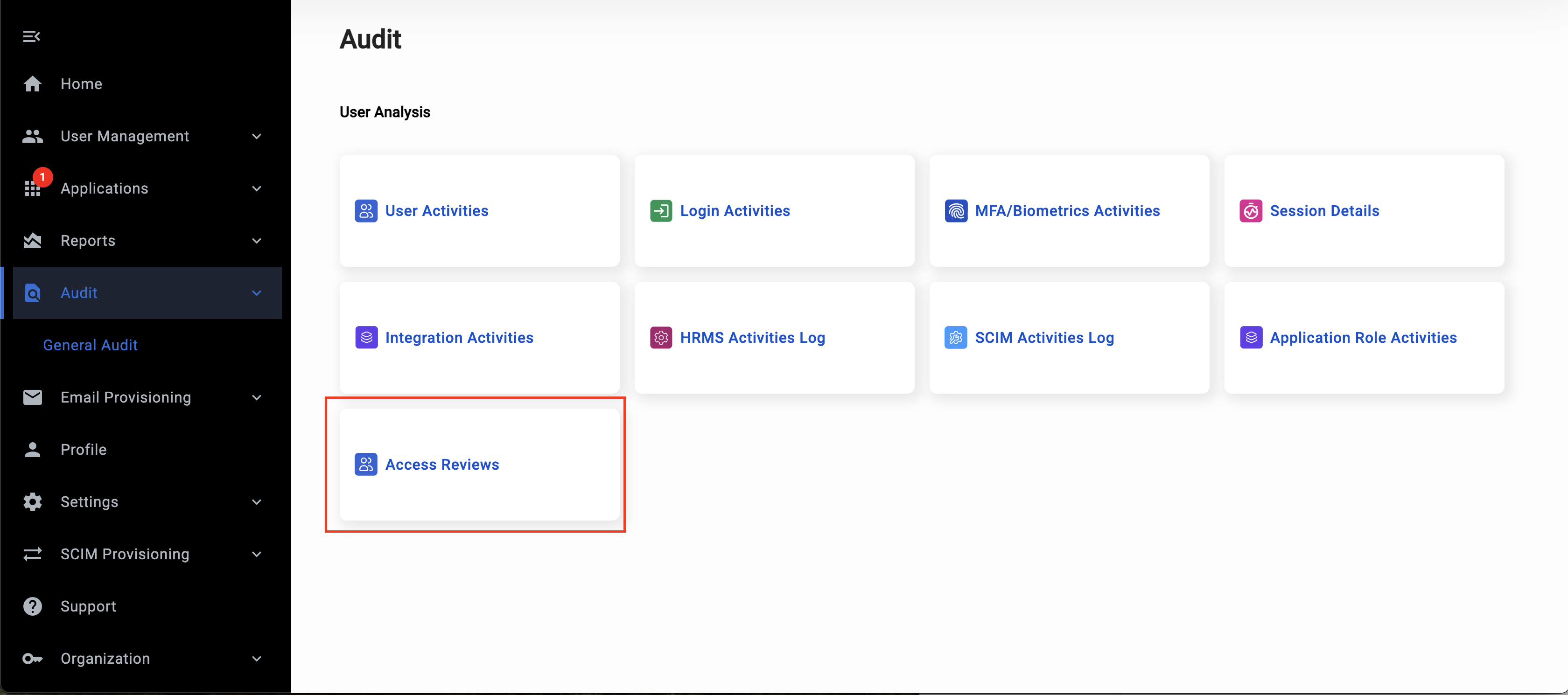
Audit landing page with the Access Reviews card highlighted.
How to Generate an Access Review Report
Step 1: Select an Application
On the Access Reviews page:
- Use the Application dropdown
- Select the application you want to review
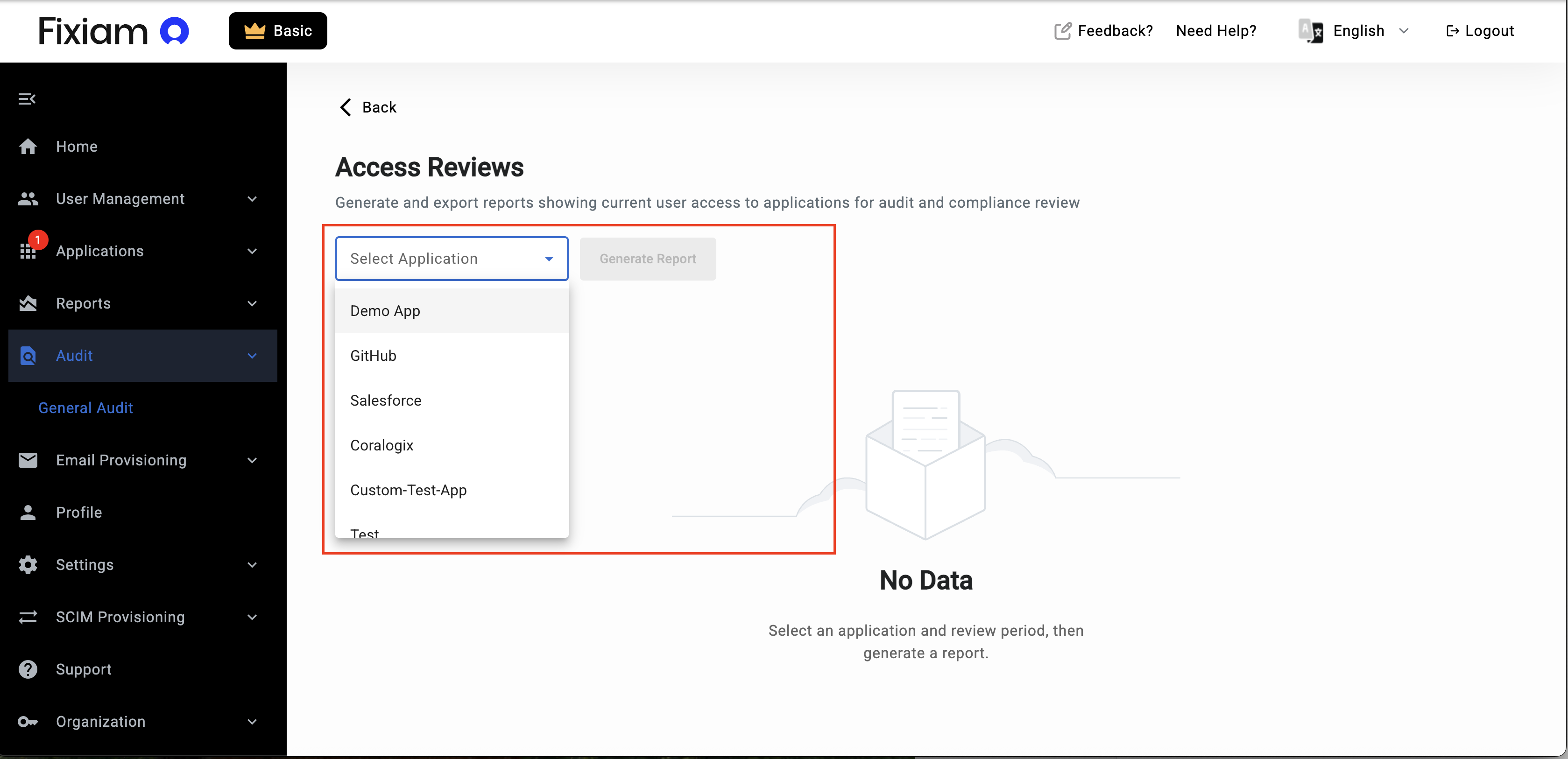
Access Reviews page before report generation, showing the Application dropdown
Step 2: Generate the Report
Click Generate Report.
Fixiam will:
- Take a snapshot of current access
- Display users who currently belong to groups mapped to the selected application
- Show the snapshot timestamp
Understanding the Snapshot
Each report clearly displays:
Showing current access for [Application Name]
Snapshot generated on: [Date and Time]
This timestamp indicates when the access data was captured.
The report reflects current access at the time of generation.
Historical access reconstruction is not included in this phase.
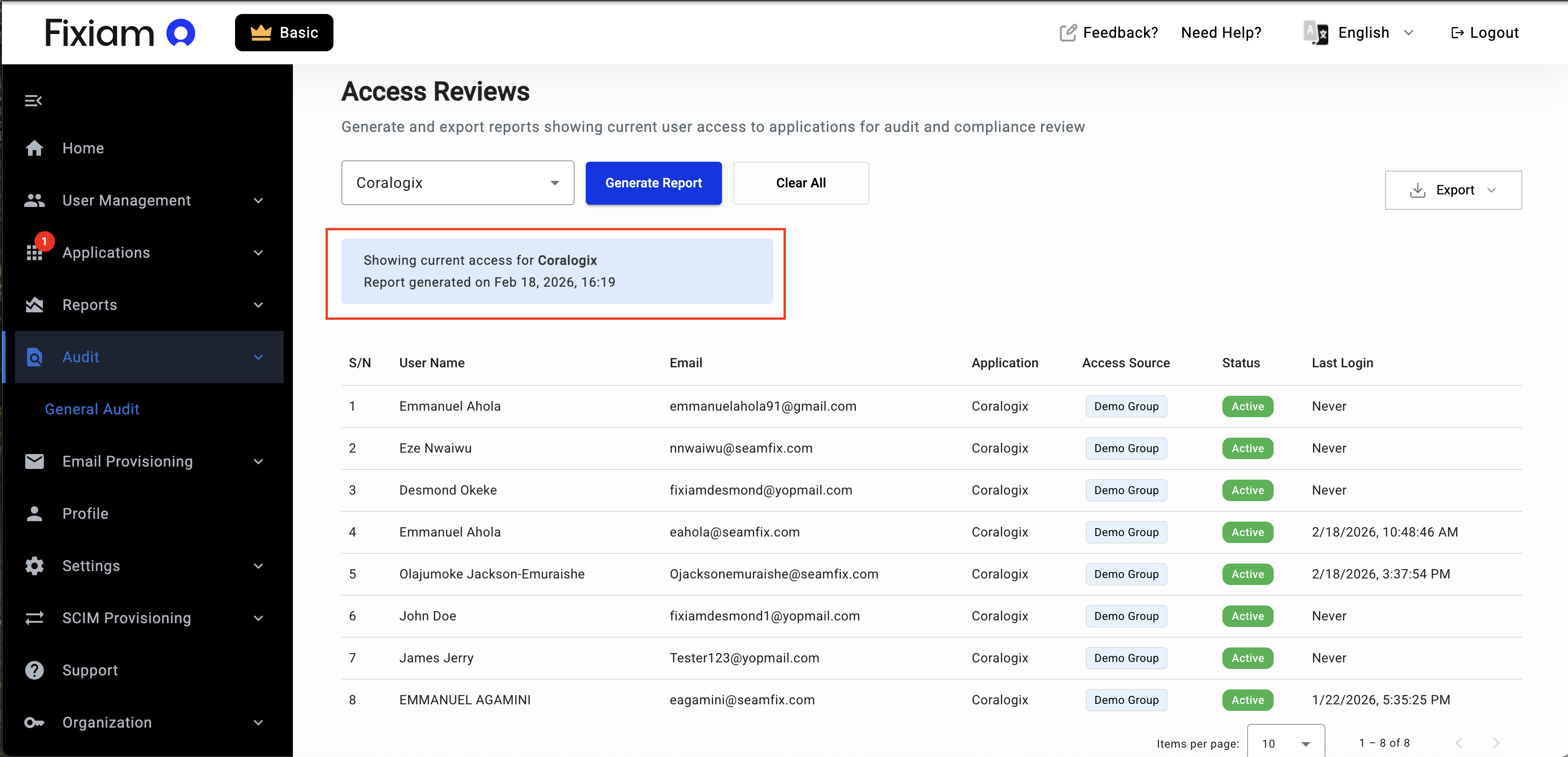
Report header with snapshot timestamp visible.
Report Table Explained
Each row represents one user who currently belongs to a group that grants access to the selected application.
The report includes the following columns:
User Name
Displays the user’s first and last name.
Email
The user’s primary identifier.
Application
The selected application being reviewed.
Access Source
The group that grants the user access to the application.
If multiple groups grant access, they will be displayed accordingly.
Last Login
Shows the user’s most recent successful login to the application via Fixiam.
If the user has never logged in, this will display:
Never
User Status
- Active – The user can log in.
- Inactive – The user account is inactive in Fixiam.
Inactive users may still belong to access-granting groups.
Removing them from groups helps maintain access hygiene.
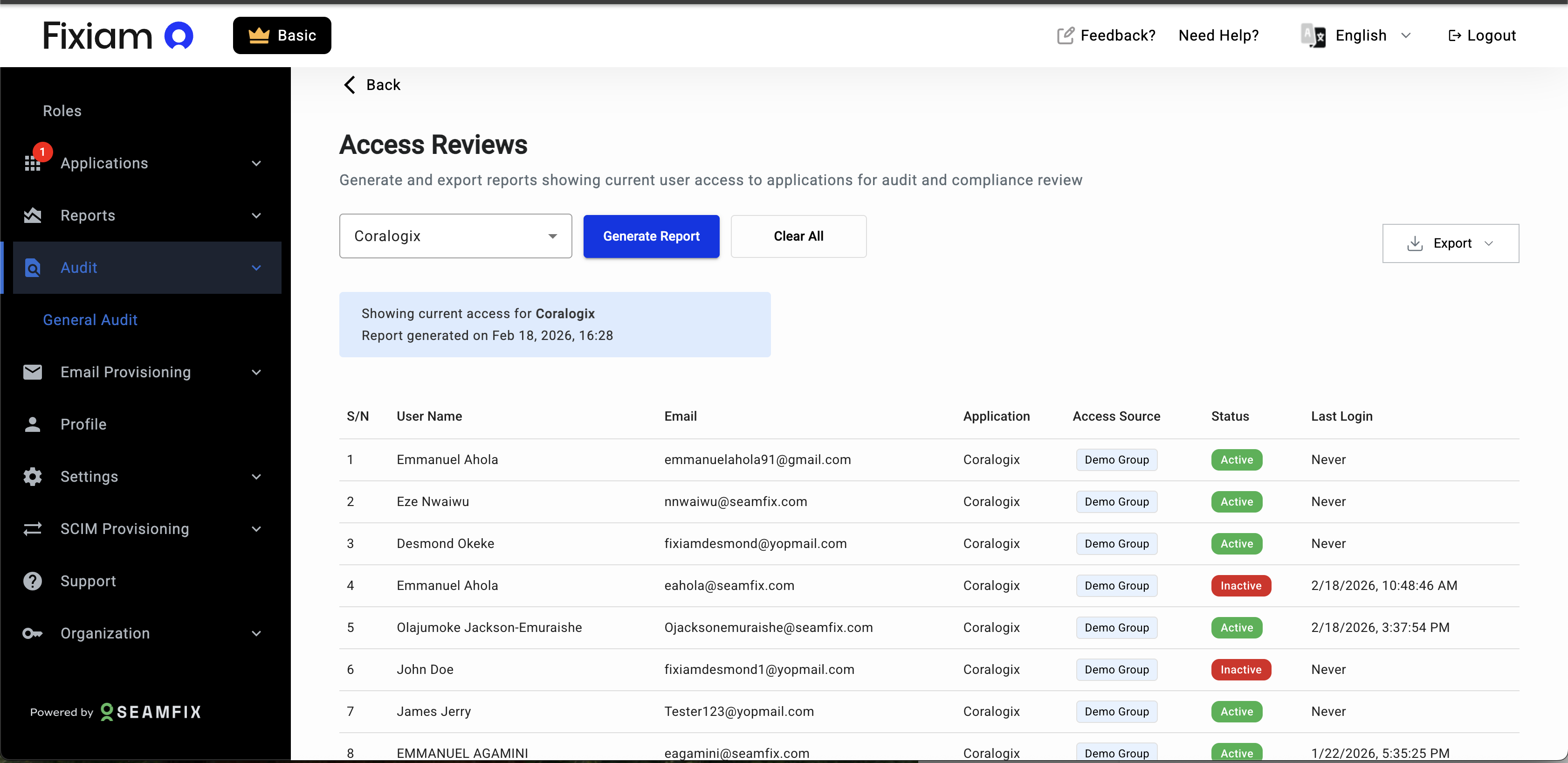
Table showing at least an Active and an inactive user
Exporting the Report
You can export the report in two formats:
- Download CSV
- Download PDF
Exports reflect exactly what is displayed in the table at the time of generation.
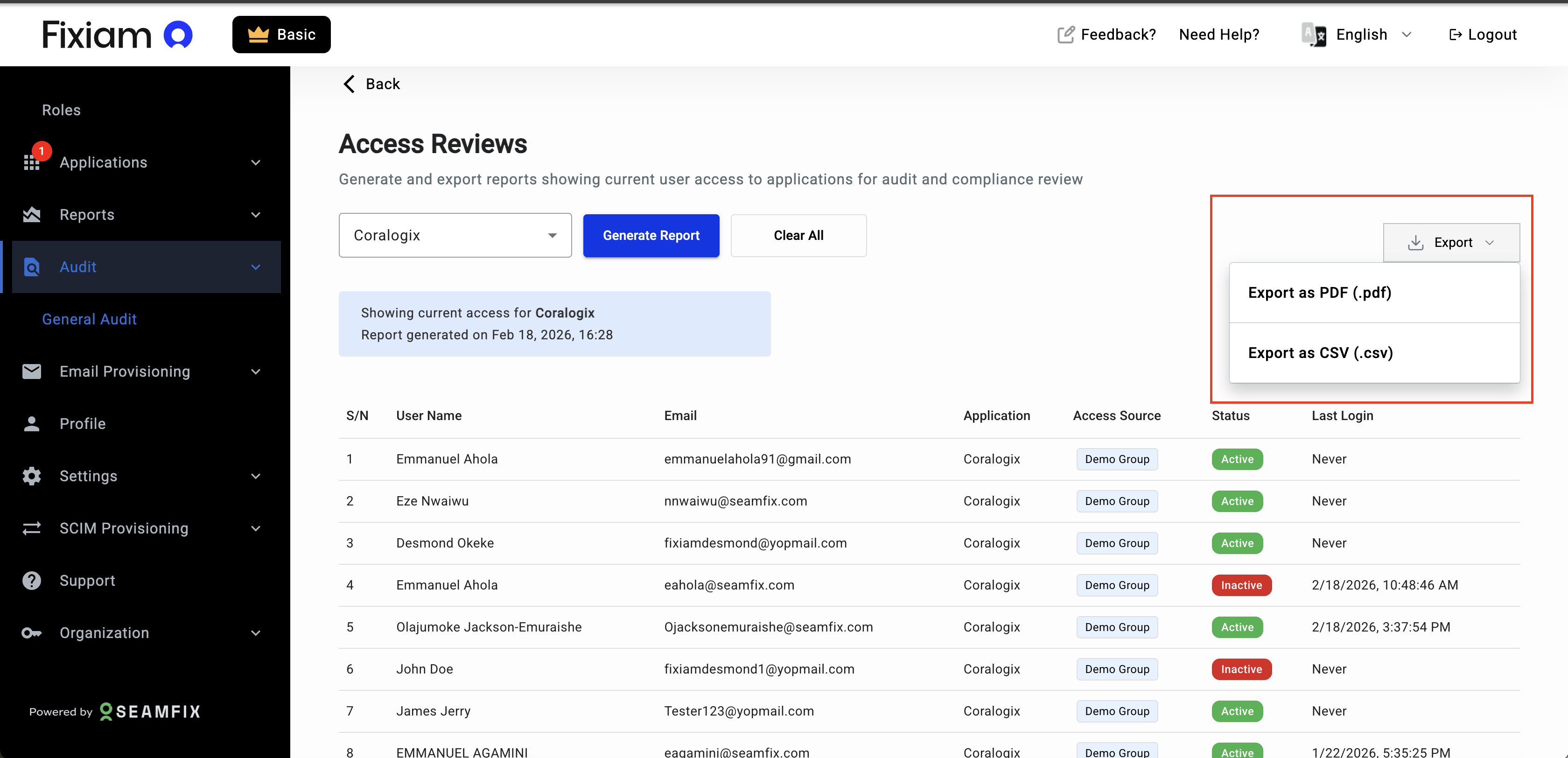
Image showing export dropdown options
Performing an Access Review
After exporting the report:
- Review access with application owners or compliance teams
- Identify users who should no longer have access
- Navigate to Users or Groups
- Remove or update access as needed
All access changes are recorded in Fixiam’s Audit logs.
Best Practices
To get the most value from Access Reviews:
- Run reviews quarterly for critical applications
- Pay special attention to users marked as Inactive
- Review users with
Neverlogin activity - Clean up unused group assignments promptly
Frequently Asked Questions
Does this report show historical access?
No. The report shows current access at the time it is generated.
Can I review multiple applications at once?
This version supports reviewing one application at a time to ensure clarity and performance.
Does generating a report change user access?
No. This feature is read-only.
Access changes must be performed in Users or Groups.
Why do disabled users appear in the report?
Disabled users may still belong to groups that grant access.
This helps administrators identify stale assignments and clean up access paths.
What’s Next
Future enhancements may include:
- Historical access reporting
- Scheduled access review cycles
Updated 5 months ago