
Audit Logs
Audit logs are essential for tracking system activities and ensuring accountability within the IAM solution. They provide a detailed record of user and system activities, helping administrators monitor actions, detect anomalies, and ensure compliance with security policies and regulations.
Compliance and Security Benefits:
- Regulatory Compliance: Audit logs provide an evidence trail for audits and help meet regulatory requirements such as HIPAA, GDPR, and SOC 2 by showing compliance with security controls.
- Forensic Investigations: In the event of a security breach or data leak, audit logs can help identify the root cause, understand the scope of the incident, and determine which users or systems were affected.
- Proactive Security Monitoring: Continuous monitoring of audit logs enables administrators to detect suspicious behavior, such as multiple failed login attempts or unauthorized access, allowing for prompt remediation.
- Accessing the Audit Module:
Navigation:
- Go to the IAM system dashboard.
- Select Audit Module from the side menu.
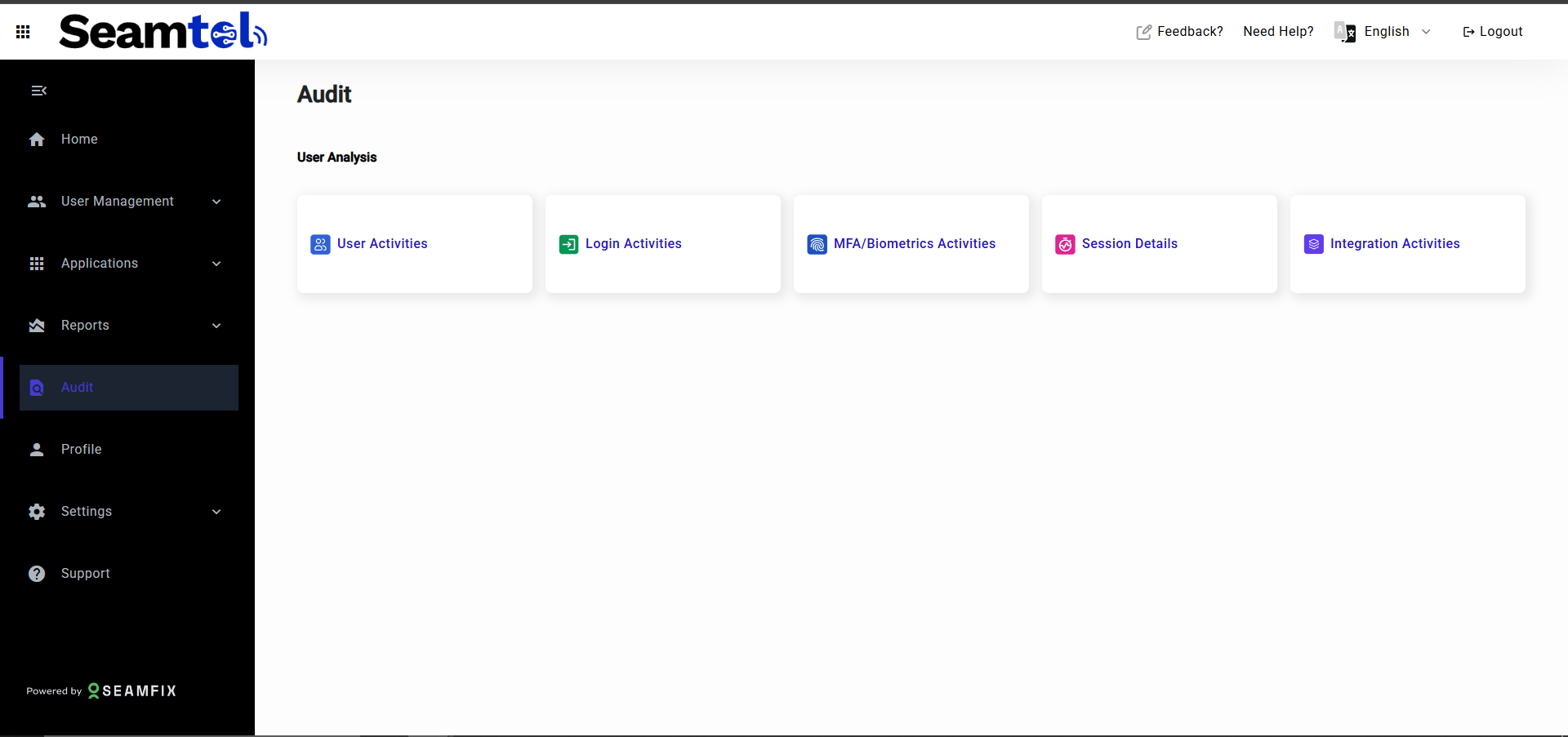
- Audit Logs Overview:
The Audit Module presents different categories of activities in the system. Each category provides detailed logs of related events.
Categories of Audit Logs:
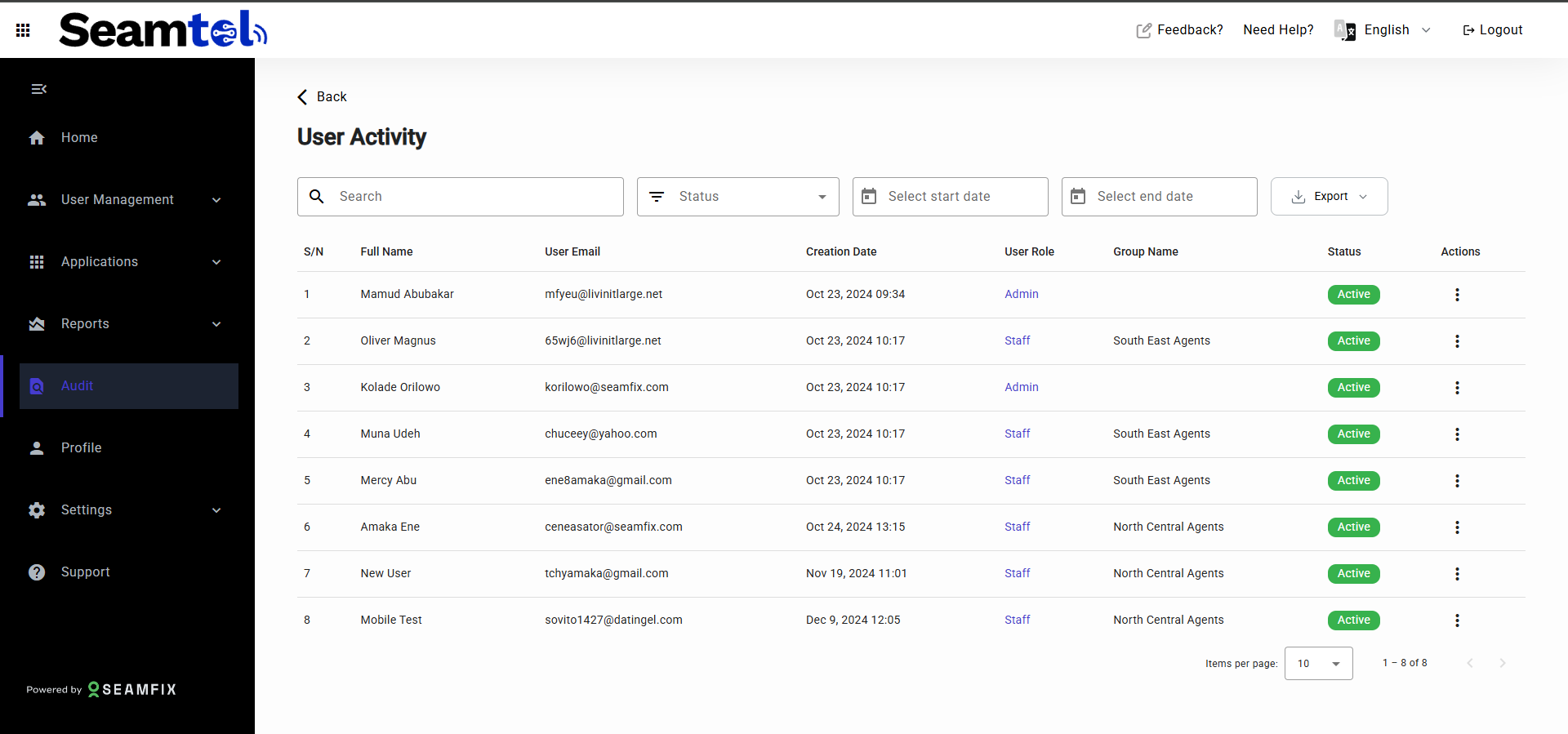
User Activities:
Track all user lifecycle events within the system.
Data Captured: User email, user role, creation date, user groups, user status, and details of activities such as user creation, group assignment, password changes, role assignments, and more.
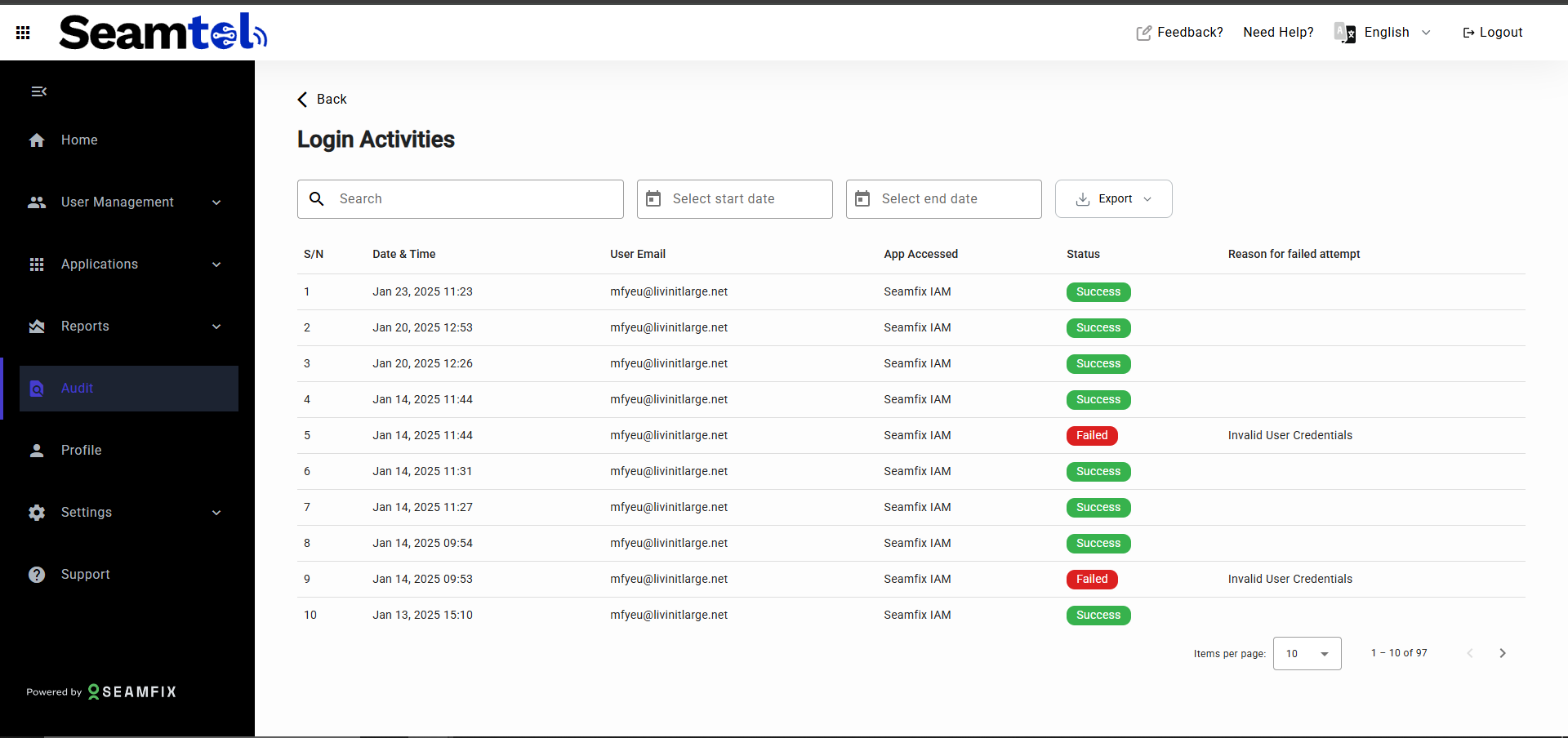
Login Activities:
Monitor login attempts through email and password (SSO).
Data Captured: User email, date & time, app accessed, status (successful/failed), and reasons for failed attempts (e.g., wrong password).
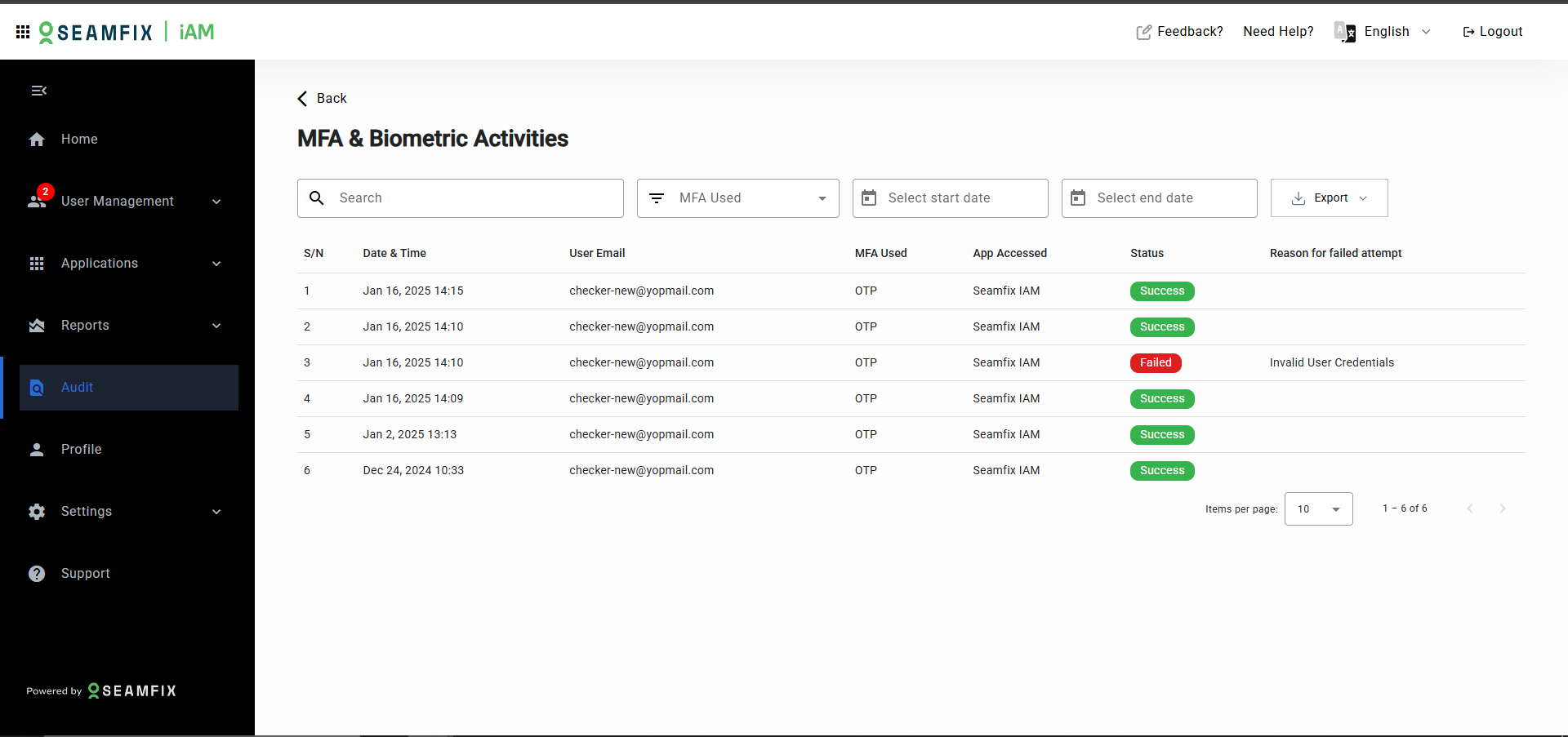
MFA and Biometric Activities:
Track all activities involving Multi-Factor Authentication (MFA) and biometrics.
Data Captured: User email, date & time, MFA method used (OTP, fingerprint, portrait), app accessed, status (successful/failed), reasons for failure, and number of failed attempts.
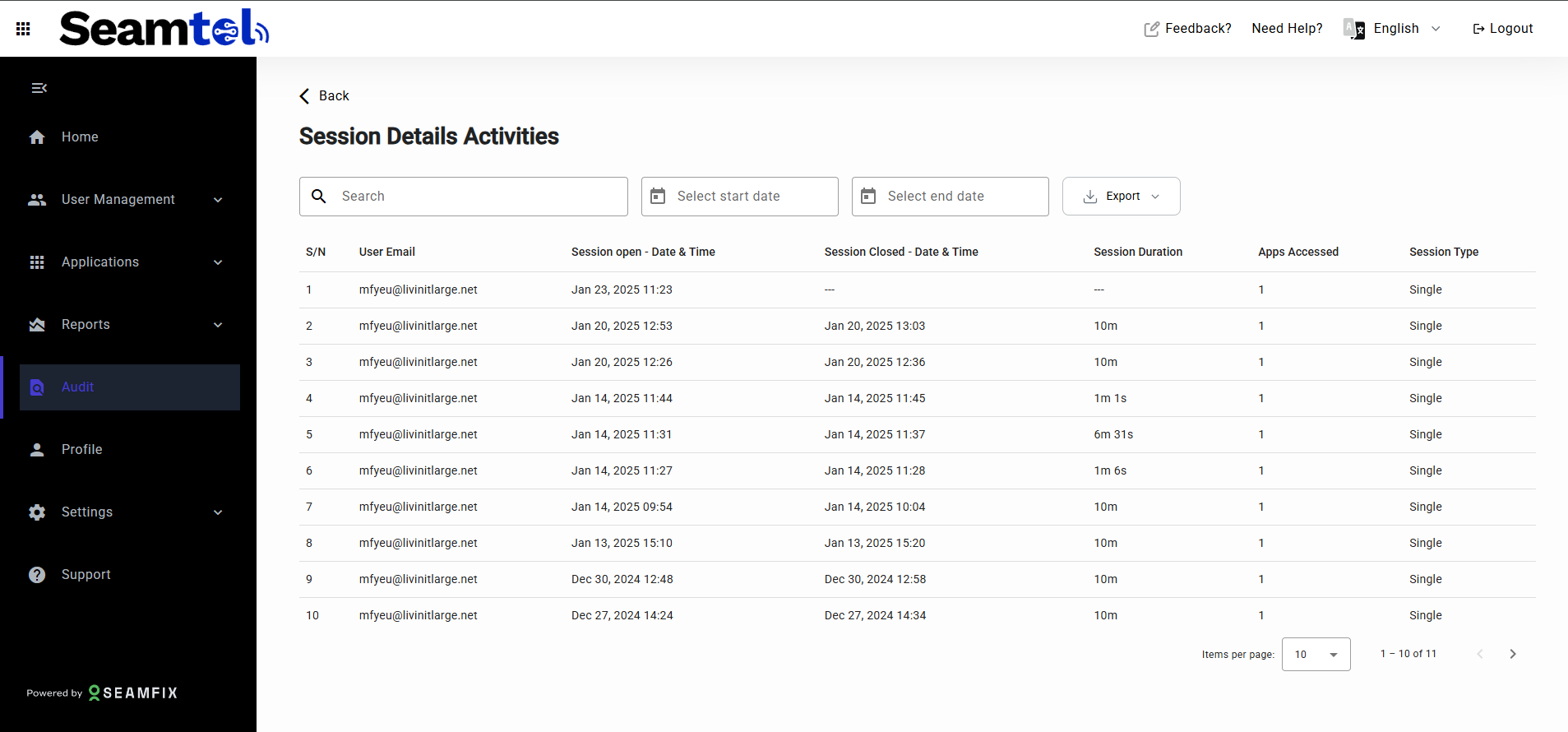
Session Details:
Review session details for each user session.
Data Captured: User email, session start and end times, session duration, apps accessed, and session type (concurrent or single).
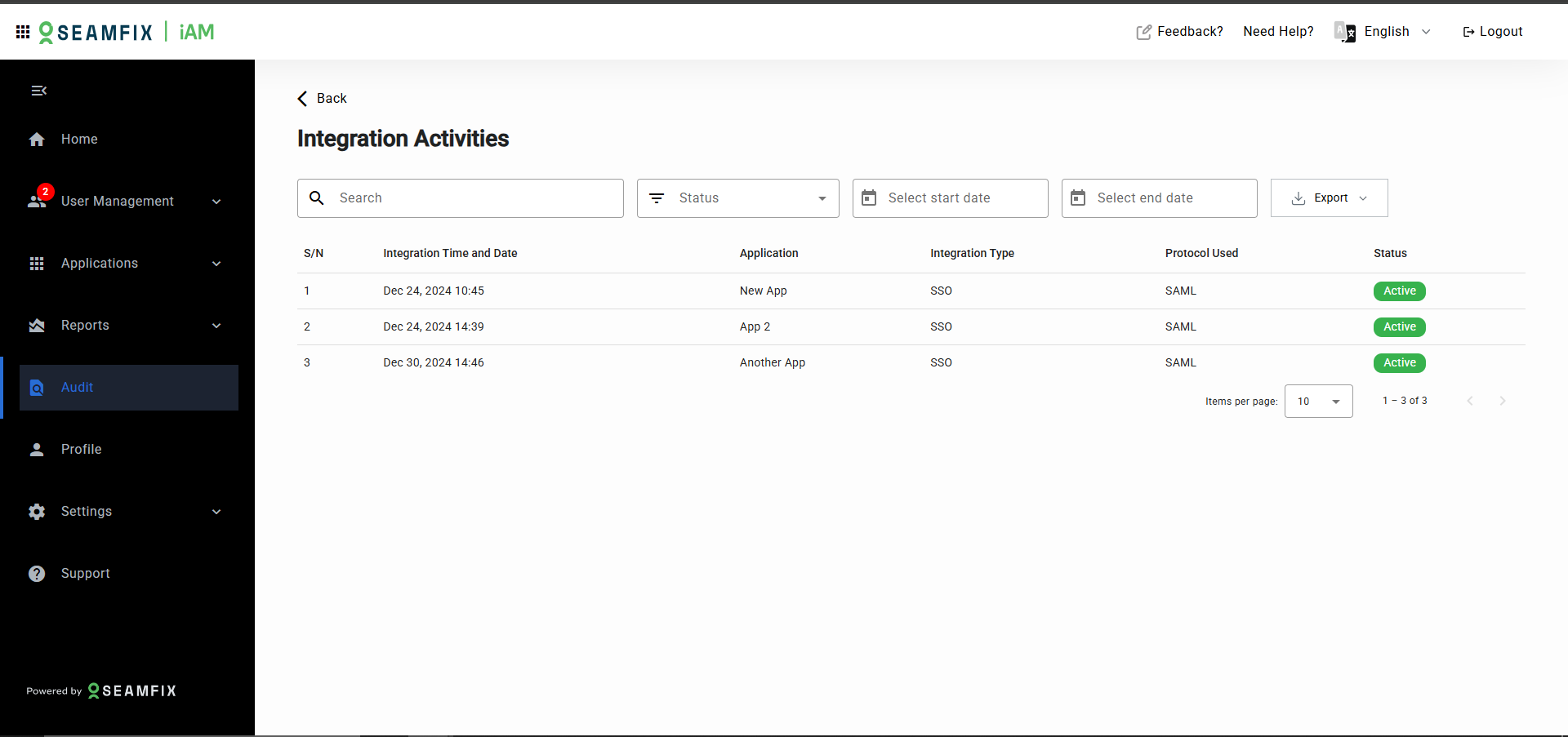
Integration Activities:
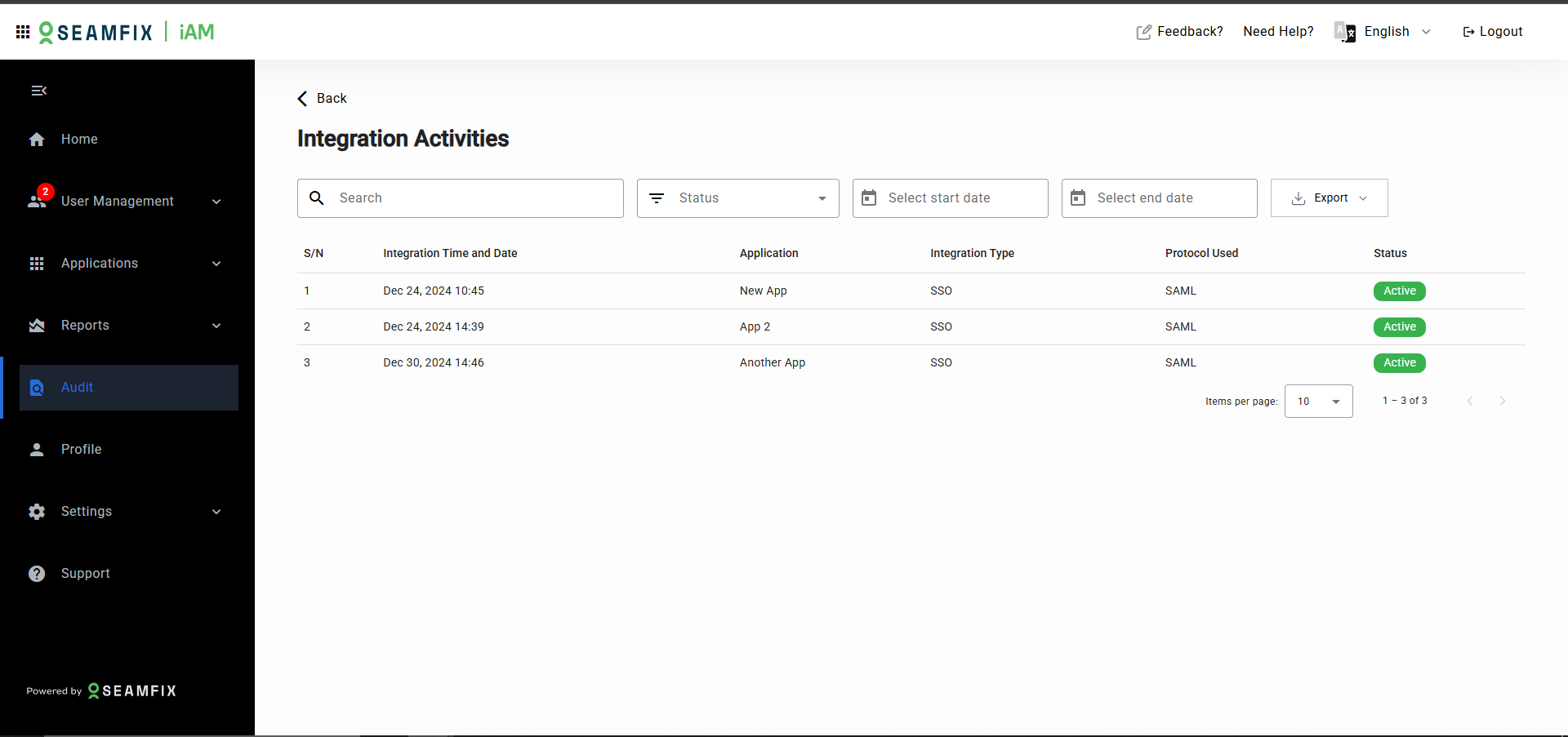
Log details of all application integrations with the IAM system.
Data Captured: Application name, integration time and date, integration type (e.g., SSO), protocol used, and status (e.g., active, inactive).
- Filtering and Searching Logs :
To streamline the audit process, the Audit Module provides filtering and search functionality:
Filters:
- By Date Range: Select a specific date range to filter events.
- By User: Search by user email to view specific user actions.
- By Status: Filter activities based on their status (e.g., successful, failed).
Search Functionality:
Use the search bar to enter keywords or user-specific details to locate specific audit entries across all log categories.
- Detailed Activity View:
For a more in-depth review of specific audit entries:
User Activity Details:
Clicking on a user’s log entry will display a detailed view that includes:
-
A list of all activities performed by/on the user.
-
The creation date, assigned groups, current roles, and privileges.
-
A table showing activity date, action performed (e.g., group assignment, role change), and who performed the action.
Login and MFA Details:
For login or MFA failures, additional information is provided, including the reason for failure (e.g., wrong password, deactivated account) and the number of failed attempts.
- Exporting Logs :
Audit logs can be exported for reporting and compliance purposes:
Export Options:
- CSV: Export logs for use in spreadsheets or further analysis.
- PDF: Generate a PDF report for sharing or documentation.
- Export Categories:
You can export the entire log or filter the data first and export only the filtered results (e.g., failed login attempts in the last 30 days).
Updated over 1 year ago