
User Synchronization with Microsoft Entra ID
Fixiam allows you to import users from Microsoft Entra ID and keep their information synchronized with Fixiam.
Instead of manually creating and updating users in Fixiam, you can connect your existing Microsoft Entra ID directory and use it as a source for your users.
With Microsoft Entra ID synchronization, you can:
- Import users from Microsoft Entra ID into Fixiam.
- Map Microsoft Entra ID user information to the appropriate Fixiam user attributes.
- Automatically synchronize user information on a daily, weekly, or monthly schedule.
- Manually trigger an import whenever needed.
- View synchronization history to see previous synchronization activities.
- Review synchronization issues when something does not sync successfully.
This guide walks you through importing users from an existing Microsoft Entra ID connection and setting up ongoing synchronization.
Prerequisites
Before you start, your Microsoft Entra ID directory must already be connected to Fixiam.
If you have not created the connection yet, see Connect Microsoft Entra ID to Fixiam.
Once your connection is ready, you can proceed with importing and synchronizing your users.
Import users from Microsoft Entra ID
1. Open User Management
From the Fixiam Admin Portal:
- Go to User Management.
- Select Users.
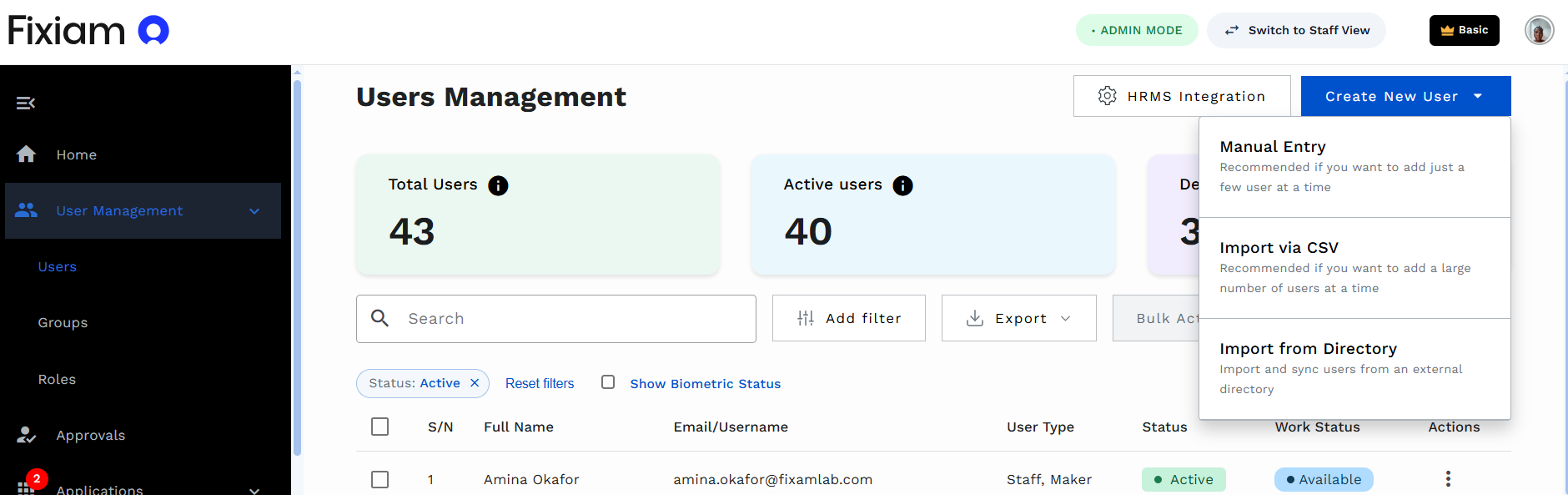
- Click Create New User.
- Select Import from Directory.
Create New User menu showing the Import from Directory option.
2. Select your Microsoft Entra ID connection
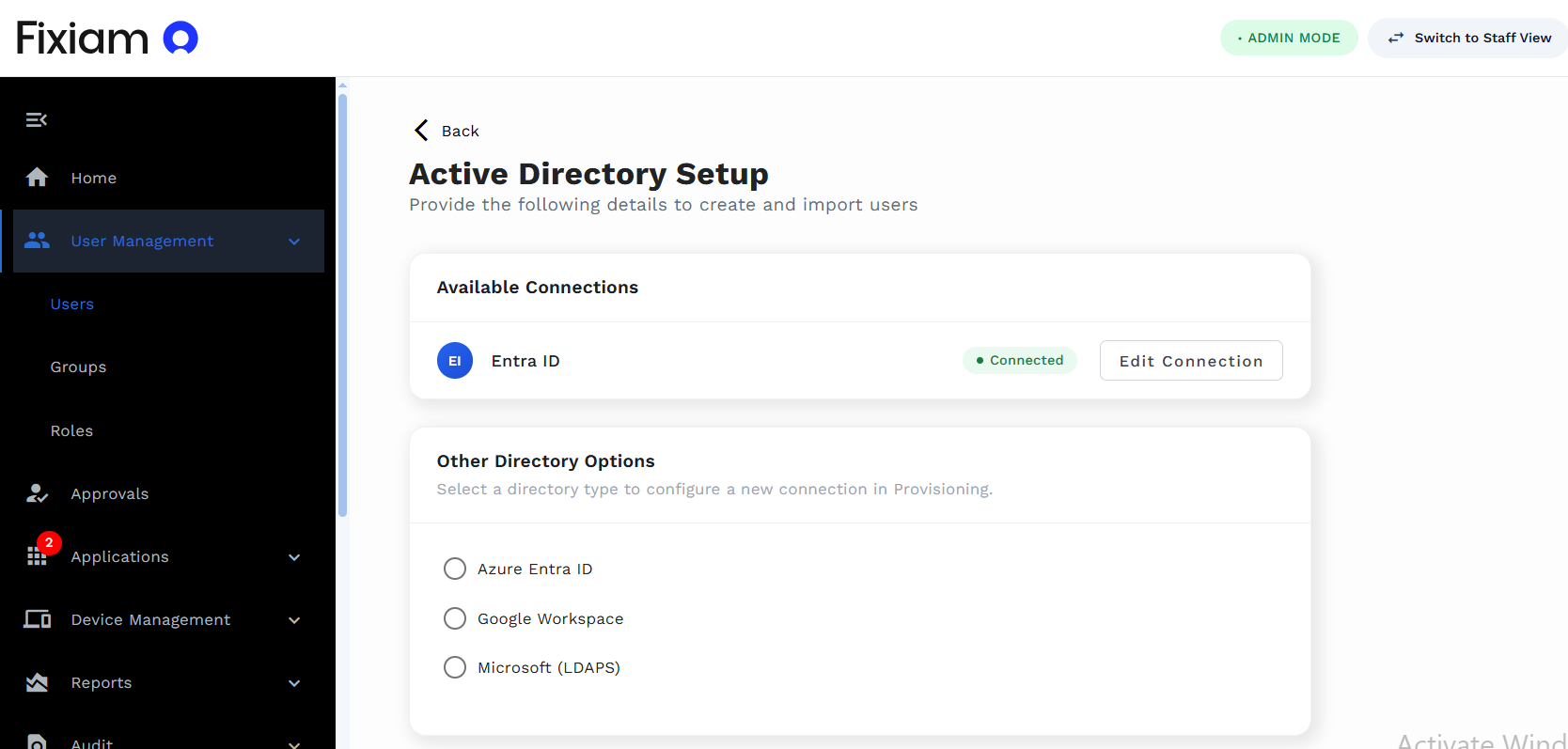
You will see the directory connections available to your organization.
Select your connected Microsoft Entra ID directory to continue.
If you need to make changes to the connection, click Edit Connection.
Directory setup page showing the connected Microsoft Entra ID directory.
3. Map user attributes
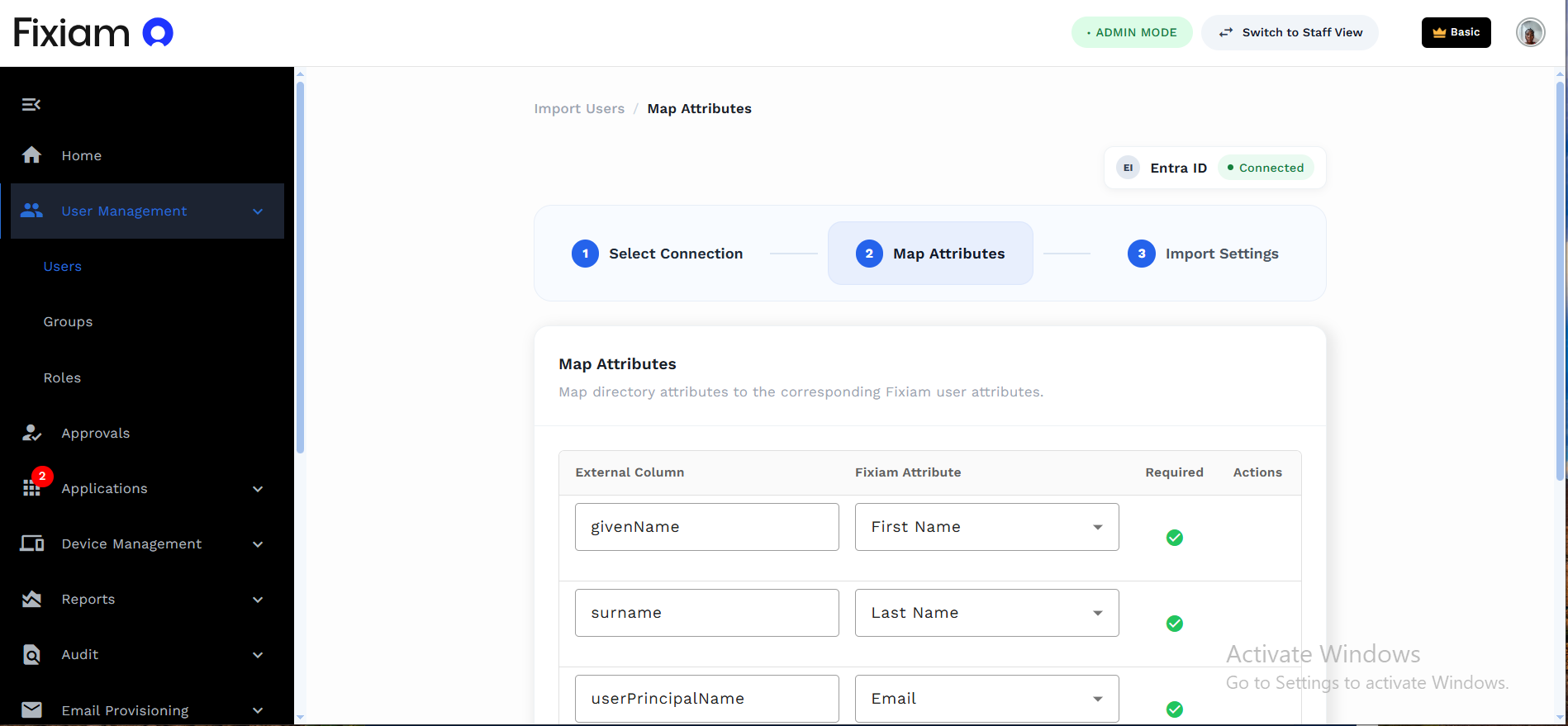
Next, choose how information from Microsoft Entra ID should be mapped to user information in Fixiam.
For example:
| Microsoft Entra ID attribute | Fixiam attribute |
|---|---|
givenName | First Name |
surname | Last Name |
userPrincipalName | |
userPrincipalName | Username |
id | User ID |
Review the mappings and make sure all required Fixiam attributes have been mapped.
You can also add additional attribute mappings where required.
Attribute Mapping page showing Microsoft Entra ID attributes mapped to Fixiam attributes.
4. Choose how often users should synchronize
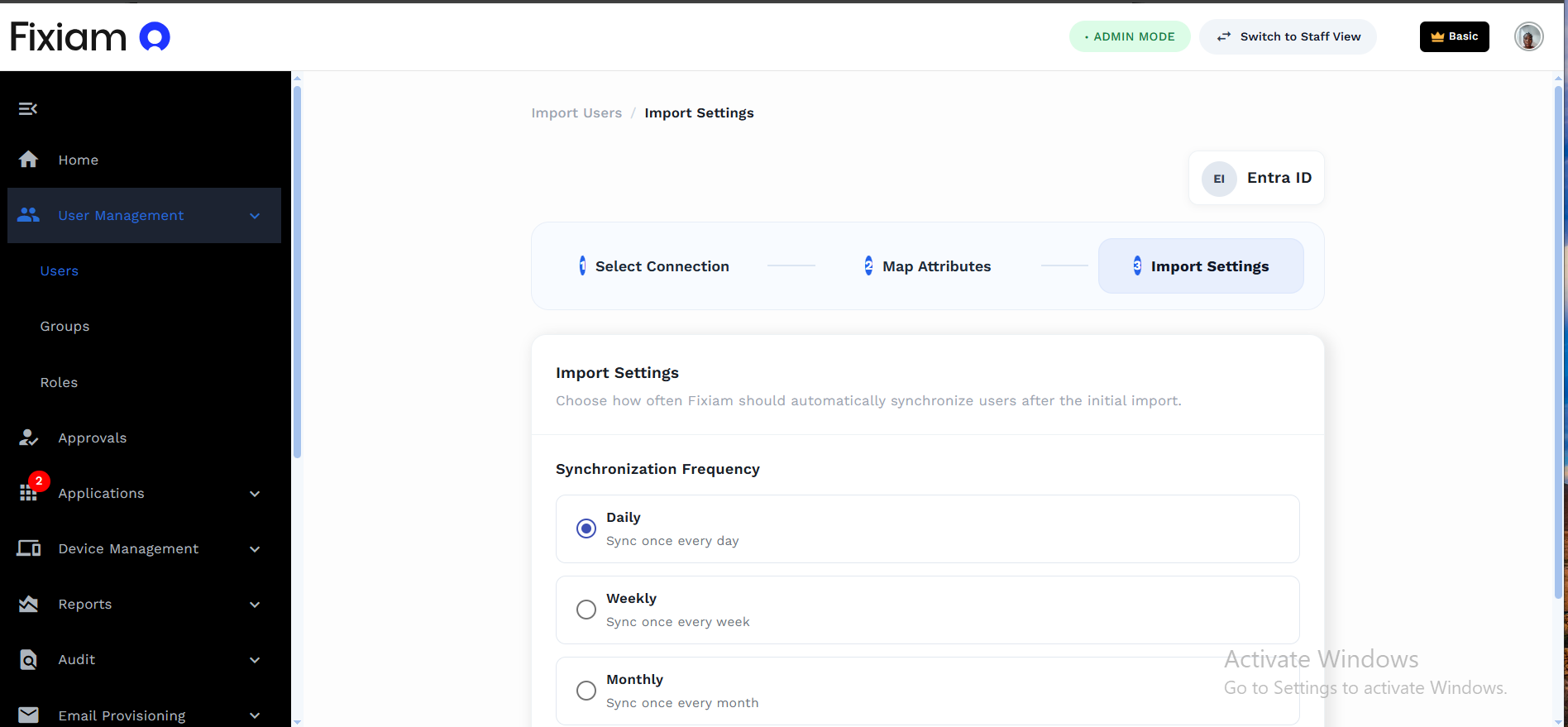
Next, choose how often Fixiam should automatically synchronize users with Microsoft Entra ID.
You can select:
- Daily: Synchronize users once every day.
- Weekly: Synchronize users once every week.
- Monthly: Synchronize users once every month.
Choose the frequency that works best for your organization.
Import Settings page showing the synchronization frequency options.
5. Import your users
Once you have reviewed your settings, click Import Users.
Fixiam will import users from Microsoft Entra ID using the attribute mappings you configured.
After the initial import, Fixiam will continue to synchronize users automatically based on the frequency you selected.
Manage your directory synchronization
After setting up synchronization, you can manage it at any time.
Go to:
Settings → Directory Settings
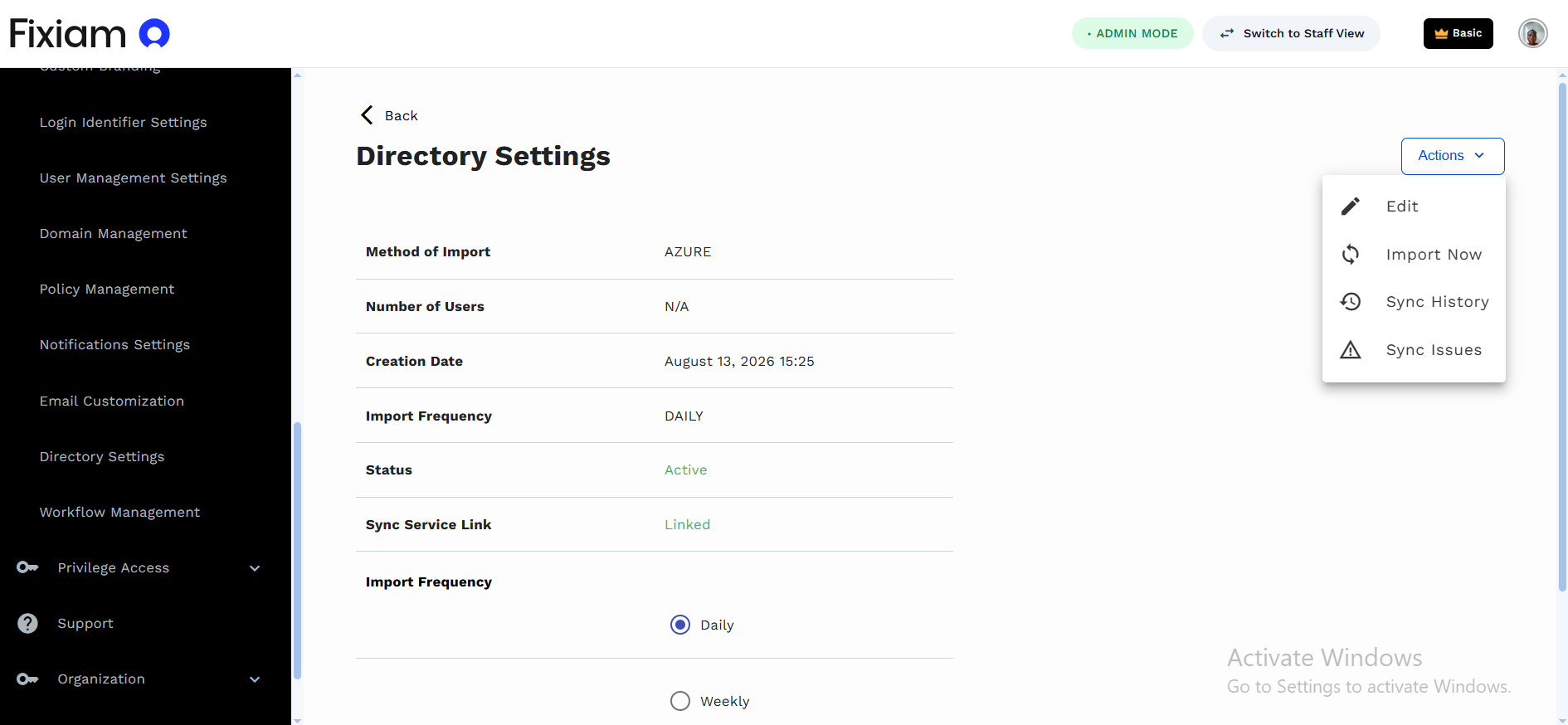
Here, you can see information about your directory synchronization, including its status, creation date, and synchronization frequency.
Directory Settings page showing the configured Microsoft Entra ID synchronization.
Select the directory to view more details.
From the Actions menu, you can:
- Edit: Update the synchronization configuration.
- Import Now: Manually trigger an import without waiting for the next scheduled synchronization.
- Sync History: View previous synchronization activities.
- Sync Issues: View synchronization problems that may require attention.
Monitor synchronization activity
Use Sync History to see previous synchronization activities and understand what happened during each synchronization.
If a synchronization does not complete as expected, open Sync Issues to review the affected records and investigate what needs attention.
This gives you visibility into your Microsoft Entra ID synchronization and helps you keep your Fixiam users up to date.
Updated about 1 month ago